

Created
:2023.09.28

Once your account registration has been completed, you may enter or update your personal information, such as your date of birth and address, through the profile settings page.
Please note that, at present, providing this profile information is not mandatory in order to use all of our services. Additionally, the username you set at the time of registration can be changed at any time through the same profile settings page.
If you would like to request a change to your registered name, please contact us through the contact form.
After logging in to Client Manager, click (1) your icon > (2) Profile in the top right corner.
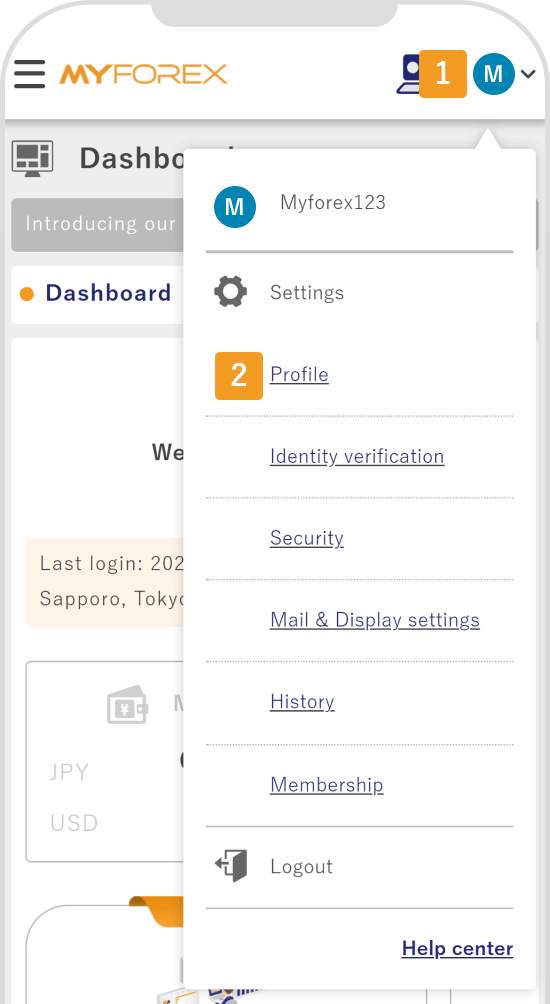
After logging in to Client Manager, tap (1) your icon > (2) Profile in the top right corner.
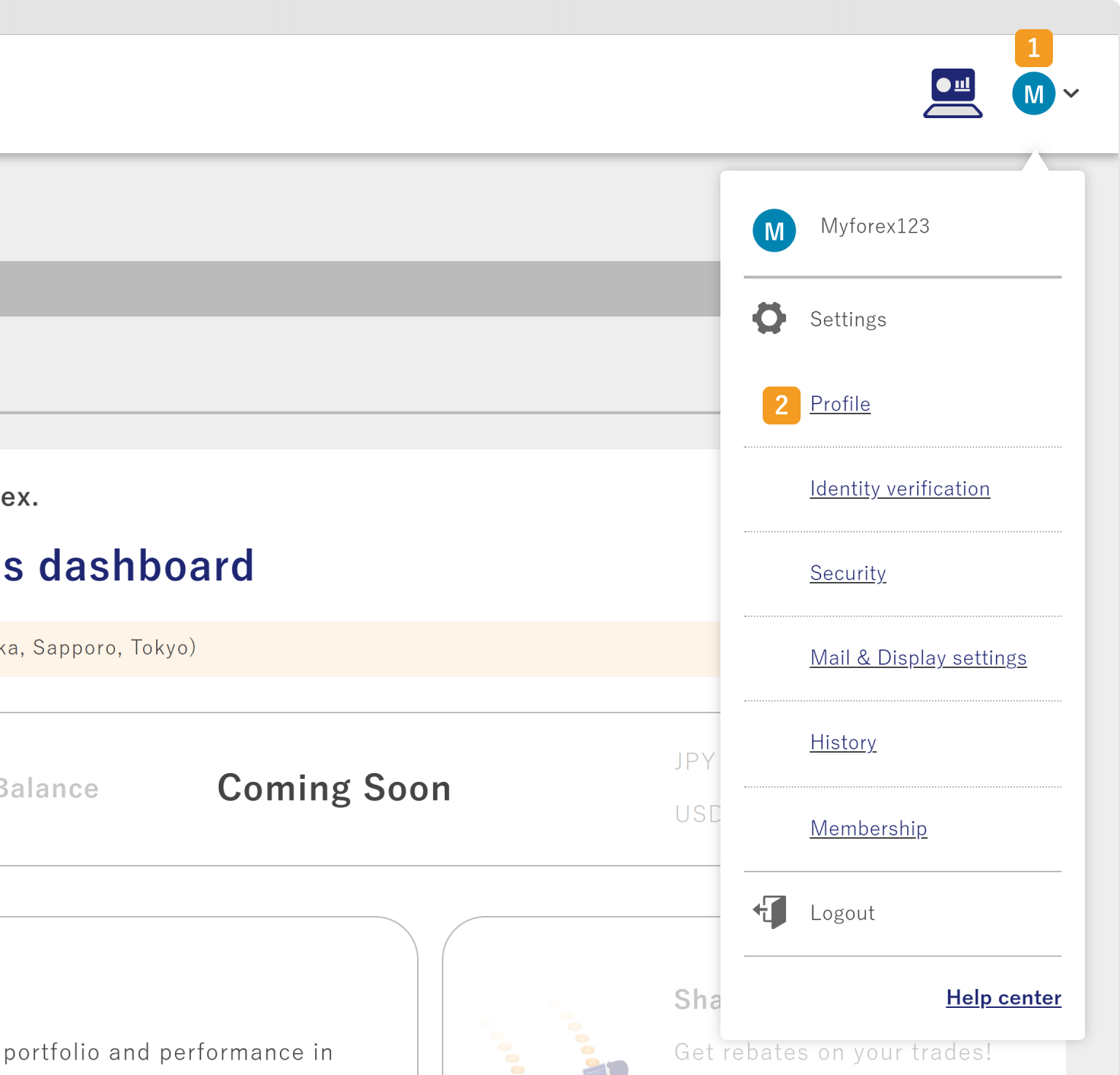
On the profile tab, click "Register your profile".
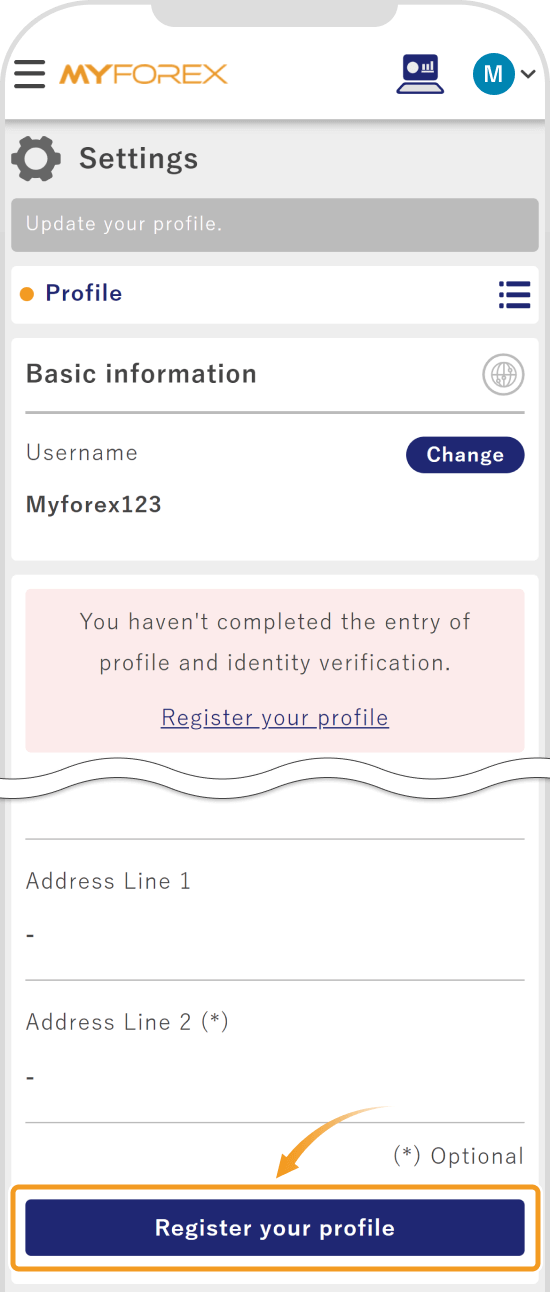
On the profile tab, tap "Register your profile".
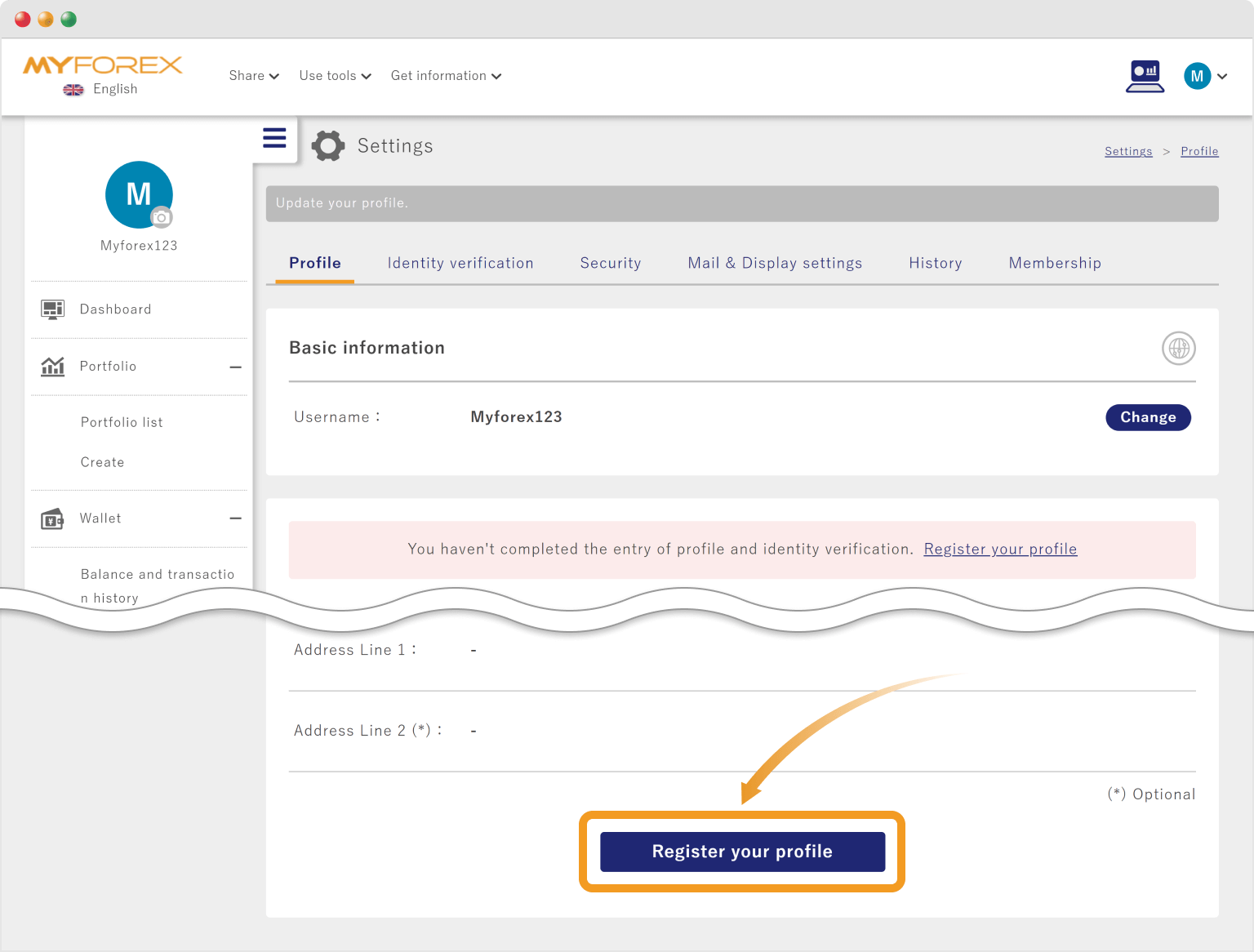
Your username, name (alphabet), and country of residence have been already provided. Select your (1) nationality. Enter your (2) gender, (3) date of birth, (4) zip/postal code, (5) state/province, (6) city, (7) address line 1, and (8) address line 2, and click (9) Proceed to the next step.
Your username, name (alphabet), and country of residence have been already provided. Select your (1) nationality. Enter your (2) gender, (3) date of birth, (4) zip/postal code, (5) state/province, (6) city, (7) address line 1, and (8) address line 2, and tap (9) Proceed to the next step.
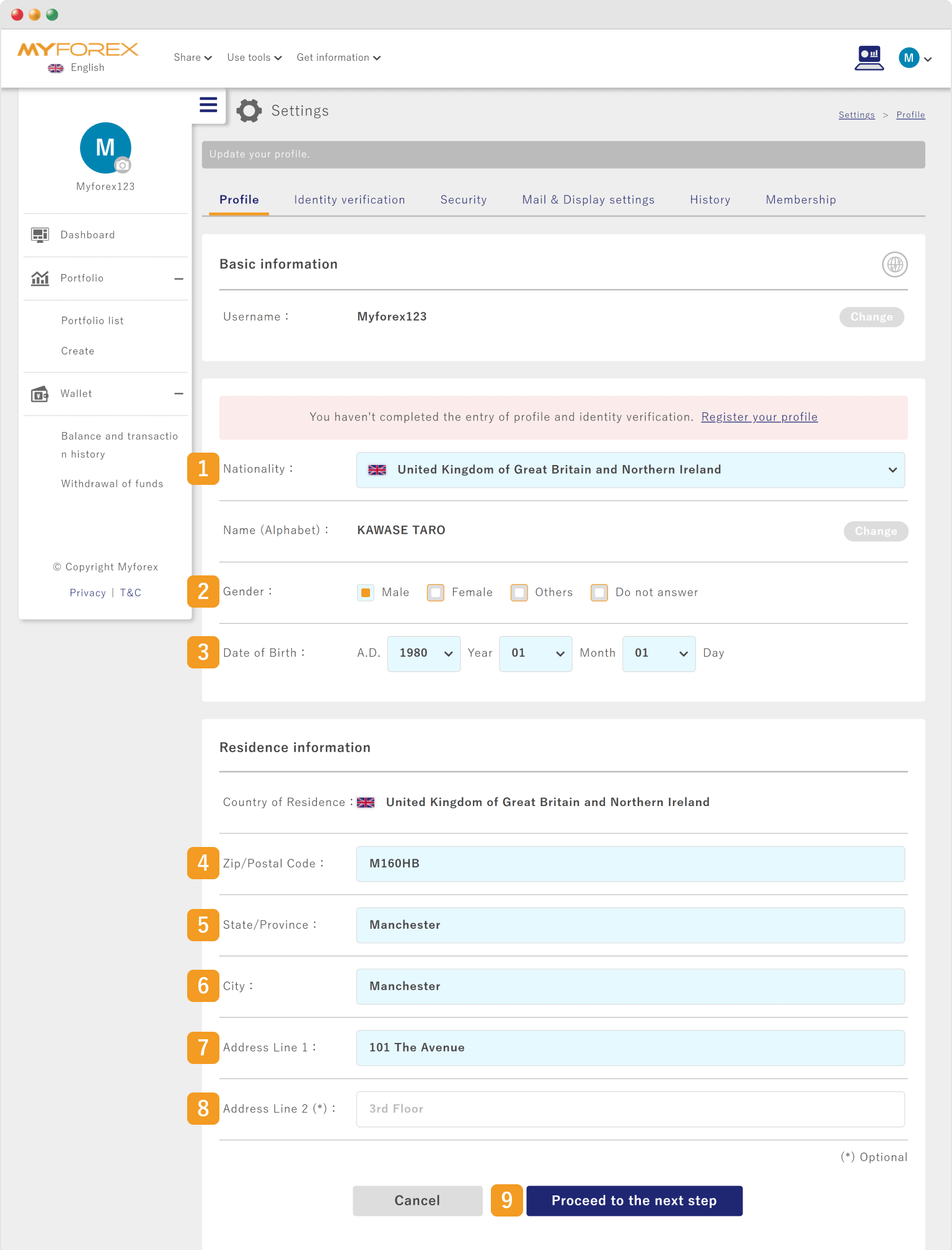

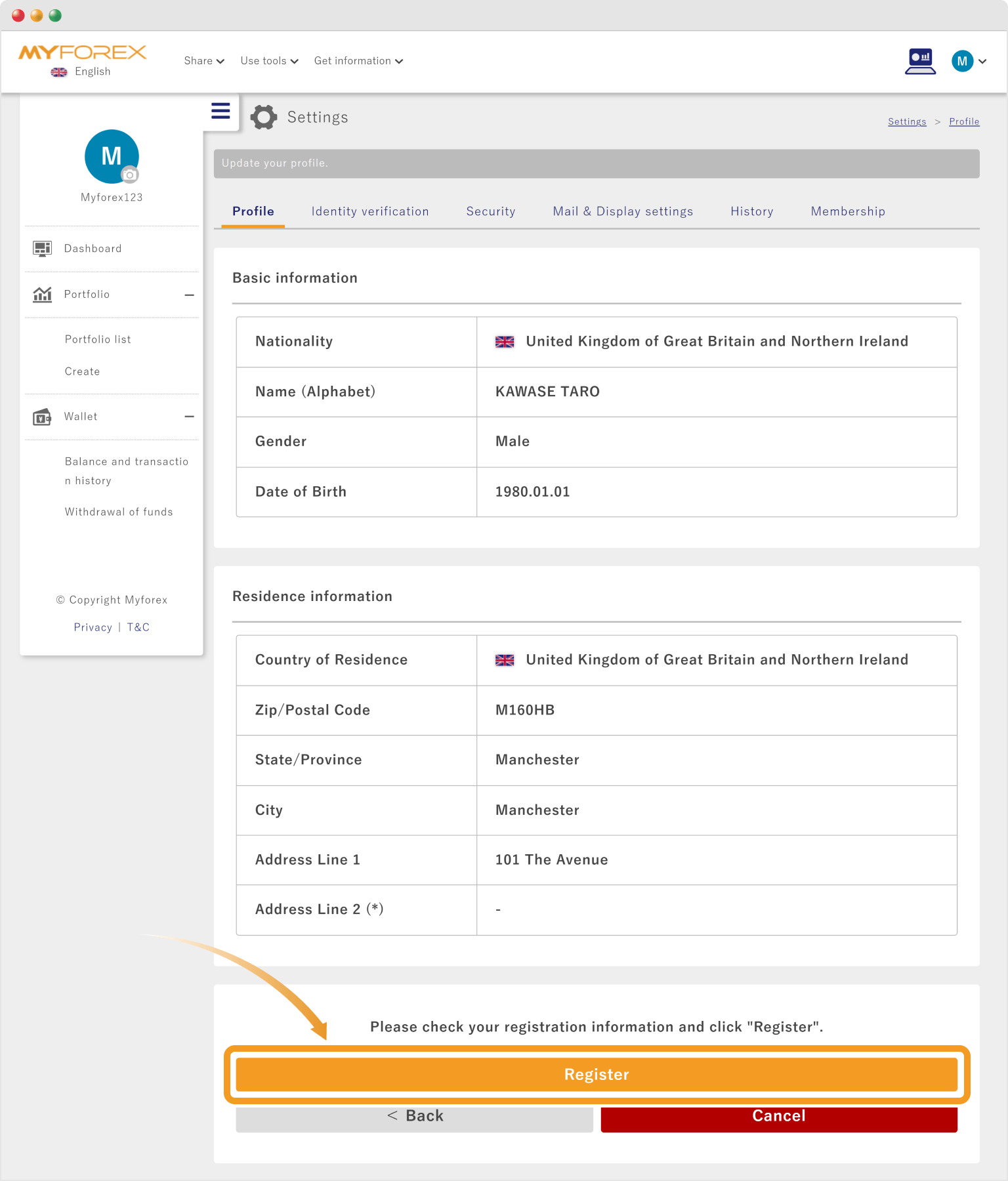
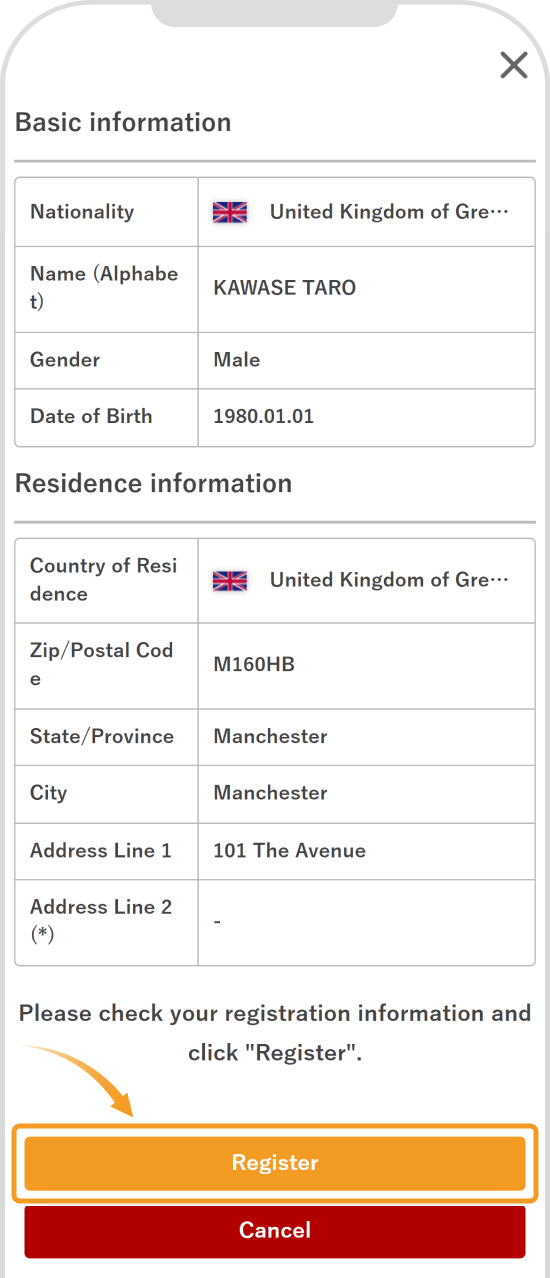
On the confirmation page, make sure that everything is correct and click "Register".
On the confirmation page, make sure that everything is correct and tap "Register".
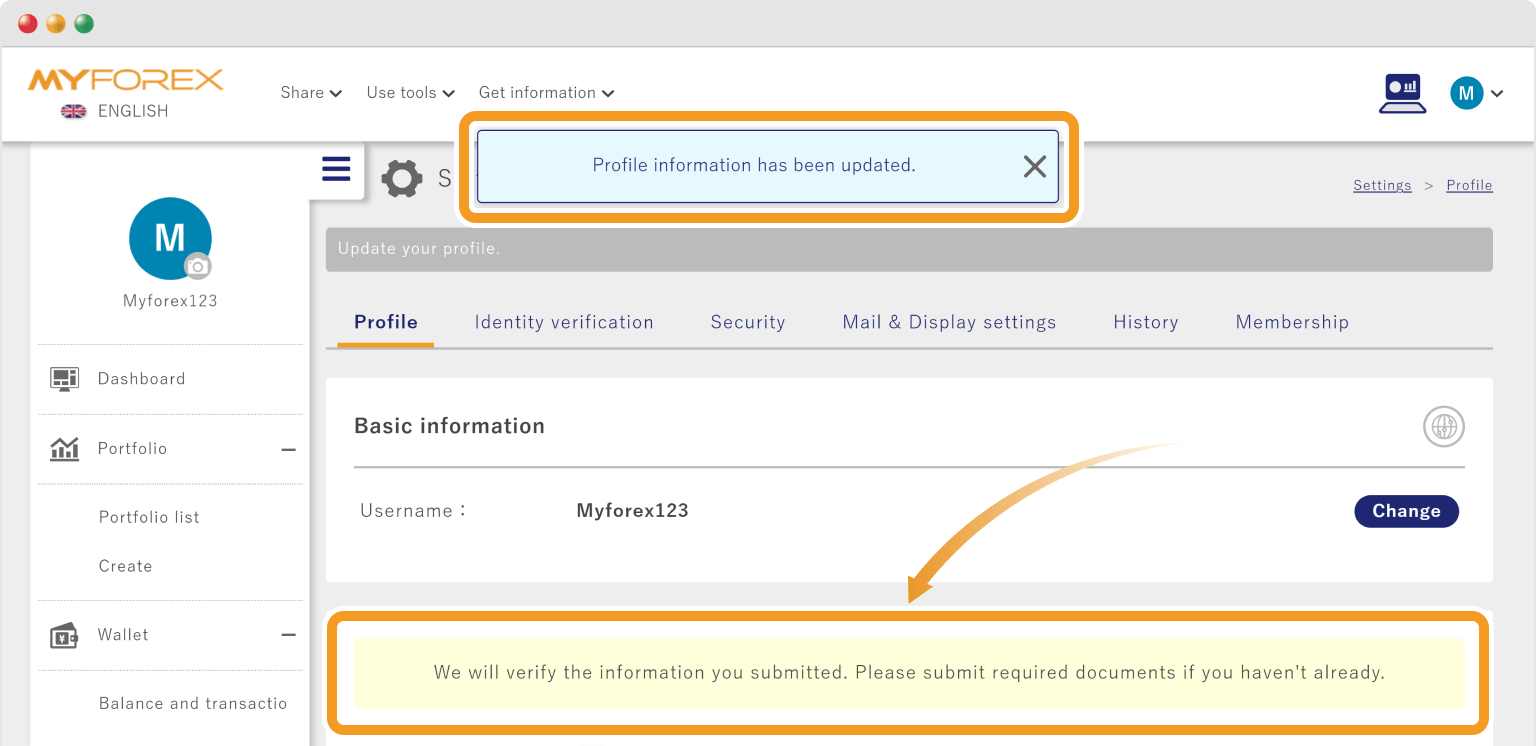
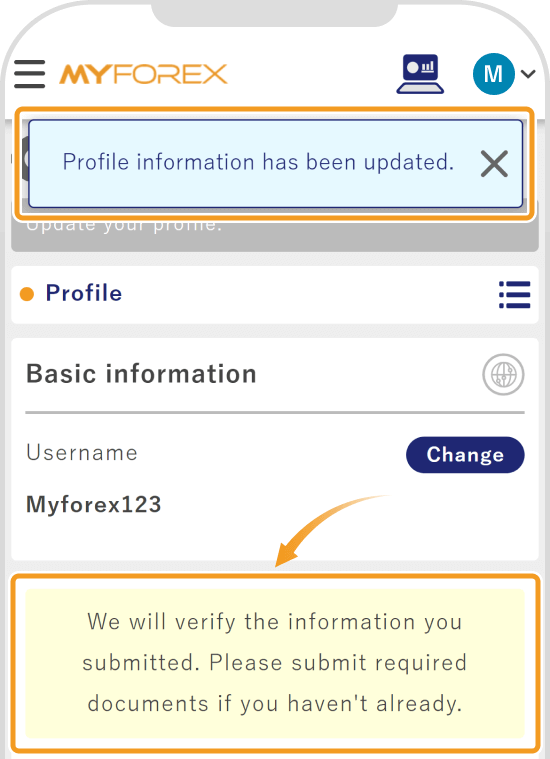
Once your profile has been set up, you will see the message "Profile information has been updated".

Created
:2023.09.28

Last updated
:2026.04.09
Was this article helpful?
That’s Great!
Thank you for your feedback
Sorry! We couldn't be helpful
Thank you for your feedback
Feedback sent
We appreciate your effort and will try to fix the article
We hope you find this article useful. Any comments or suggestions will be greatly appreciated.
We are also looking for writers with extensive experience in forex and crypto to join us.
Please contact us at support@myforex.com

Disclaimer:
All information and content provided on this website is provided for informational purposes only and is not intended to solicit any investment. Although all efforts are made in order to ensure that the information is correct, no guarantee is provided for the accuracy of any content on this website. Any decision made shall be the responsibility of the investor and Myforex does not take any responsibility whatsoever regarding the use of any information provided herein.
The content provided on this website belongs to Myforex and, where stated, the relevant licensors. All rights are reserved by Myforex and the relevant licensors, and no content of this website, whether in full or in part, shall be copied or displayed elsewhere without the explicit written permission of the relevant copyright holder. If you wish to use any part of the content provided on this website, please ensure that you contact Myforex.